


Credit Card : Wallet & NFC
4.6493.00 Reviews
App Specs
- Version
- 3.0.5
- Updated On
- License
- Free
- Downloads
- 5,000,000+
- Developer
- Galaxy studio apps
- Categories
- Finance
- Platform
- Android
Screenshots
 Analysis by AppCompare
I approach Credit Card: Wallet & NFC less as a replacement for every financial tool on my phone and more as a focused place to check card details and explore NFC-related functions. That distinction matters: a mobile wallet can sound like an all-purpose answer, but it only helps if its tools suit your cards, your device, and the way you prefer to pay. I’d treat it as something to test carefully before relying on it for a daily purchase.
Who may find it useful
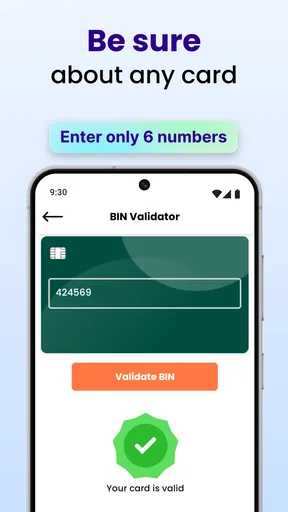
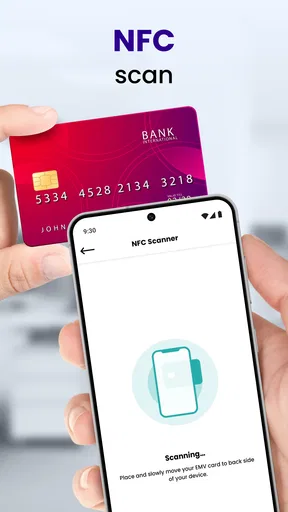
This finance app from Galaxy studio apps is aimed at people who want card-related tasks gathered in one place, particularly anyone curious about an NFC scanner or a credit and debit card BIN validator. Those functions make it more specific than a general budgeting app, which usually puts spending plans and account overviews first. If you regularly need to check card information, having a dedicated utility may be more convenient than searching through unrelated finance tools.
It is free to install, though in-app purchases range from $0.99 to $99.99 per item. I’d check the purchase choices in the app before making it part of a routine; “free” does not necessarily mean every optional capability is included at no cost. The app is rated for Everyone, and its current version is 3.0.1, with Android 7.0 as the stated minimum. Its average rating is 4.7 from around 53,000 ratings, and it has over 5 million installs. That level of adoption can help a new user feel there is interest in the app, but it is not a substitute for checking whether its particular tools match your needs.
Readability and navigation
For a card utility, clarity is more important to me than a dense dashboard. The useful test is whether I can tell which function I’m opening and what information I’m about to enter. I’d take a moment to explore the available screens before adding sensitive details, rather than assuming that a wallet label means every feature works like a bank’s own app. A simple, predictable flow is especially valuable when I’m checking a card quickly or trying to distinguish a scanner from a validator.
The name Credit Card is broad, so I would not assume from the name alone that it connects to my bank, handles every issuer, or replaces a bank’s account controls. I’d use the app for the specific card-related jobs it presents, and keep my bank’s official app available for statements, account changes, and questions that require the issuer. That division of labor makes the purpose easier to understand and avoids treating a utility as the authority on an account.
Motor and sensory considerations
Hands-free convenience is often discussed around NFC, but it still depends on being able to navigate the phone, locate the relevant function, and position the device appropriately. If tapping a phone at a terminal is uncomfortable or impractical, the scanner and validator may be more relevant than the payment-related aspect. I would not assume that NFC is automatically easier for everyone: a physical card, a bank app, or another payment method may be the better option depending on dexterity, device handling, and personal preference.
For sensory needs, the most helpful habit is to test the interface in a calm moment, not during a busy checkout. That gives me time to see whether labels and feedback are clear enough for my own use and whether a particular task takes more attention than expected. People who rely on a specific text size, screen reader behavior, or other accessibility setting should check the app on their own device before depending on it; the right experience can vary with both the phone and the user.
Worth Reading Before You Choose

Flipboard Shows What News Apps Must Do Beyond the Feed

Switching to Android Auto Means Rethinking Your Driving Routine

Google Calendar Makes a Crowded Week Easier to Manage

Ludo King Makes the Most of the Minutes Between Plans

Baby Panda World Brings Quick Play to Modern Phones, but Its Game Library Feels Busy

ESPN’s Live Game View Makes Following Close Games Easier
Situational access and practical limits
A plausible everyday use is checking a card-related detail before making a purchase, then keeping the physical card or a trusted payment alternative available in case the phone is unsuitable at the terminal. I’d also avoid doing sensitive checks while someone is looking over my shoulder. A card tool is most useful when it fits into a deliberate routine, rather than becoming an excuse to rush through a financial decision.
Credit Card: Wallet & NFC sits in a different lane from a bank’s own wallet or a broad budgeting app. A bank app is usually the sensible choice for account-specific actions; a budget tool is better when the main goal is to understand spending across a month. This app’s appeal is its narrower focus on card utility and NFC-related tasks. If I only need to pay with a phone, I’d compare it with the payment option already supported by my bank or device before adding another app to the process.
My main caution is to verify the exact function before relying on it. A BIN check can help identify information associated with a card number’s bank identification range, but it should not be treated as proof that a card is valid, funded, authorized, or safe to use. Likewise, an NFC scanner is not the same thing as a guarantee that a payment will be accepted. I would never share a full card number or security code just to satisfy curiosity, and I’d use the issuer’s official channel for any account or fraud concern.
Released on November 9, 2023, and developed by Galaxy studio apps, the app has grown to over 5 million installs. Its 4.7 average is encouraging, but I would still judge it by whether its specific functions are understandable and useful on my own phone. With 424 reviews, there are also fewer written accounts than ratings, so I’d treat broad popularity as context rather than evidence that every workflow will suit me.
When I would choose another option
I would skip this app if what I really need is a complete view of balances, statements, disputes, or card controls. Those tasks belong with the card issuer, where the account relationship is direct. I’d also choose a familiar payment wallet instead if my only goal were to pay at compatible terminals and my existing setup already handles that reliably. Adding a separate utility is worthwhile only when I will actually use its card-focused tools.
There is a practical trade-off in keeping sensitive information on a phone: convenience comes with the responsibility to secure the device and be selective about what I enter. I would use a screen lock, avoid entering details in public, and review any optional purchase before confirming it. Those are sensible precautions for any finance utility, not a claim about a particular security mechanism. If a feature asks for more information than seems necessary for the task, I would pause and reconsider rather than proceed automatically.
Simplifying Your Wallet
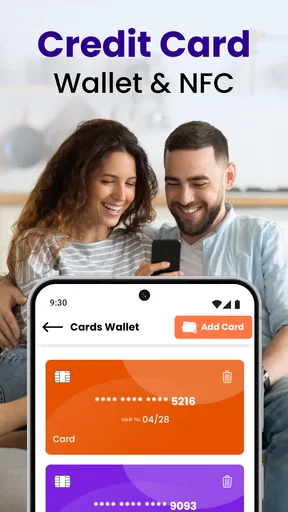
The first thing that struck me about Credit Card: Wallet & NFC was its user-friendly interface. After downloading and opening the app, I was greeted with a sleek and intuitive design that made adding my credit cards a breeze. The app supports a wide range of credit card issuers, making it a versatile choice for anyone.
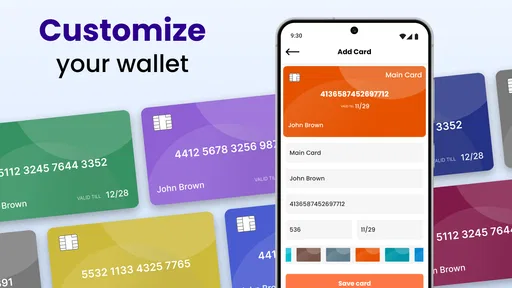
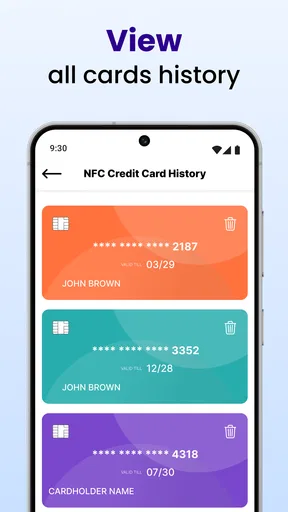
Adding a card is as simple as snapping a photo or entering details manually. The app securely encrypts your information, ensuring peace of mind. What I loved most was the ability to organize my cards into different categories, which makes finding the right card at the right time super convenient. No more fumbling through a stack of plastic!
Tap and Pay with Ease
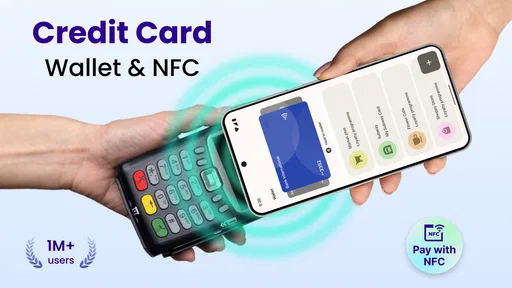
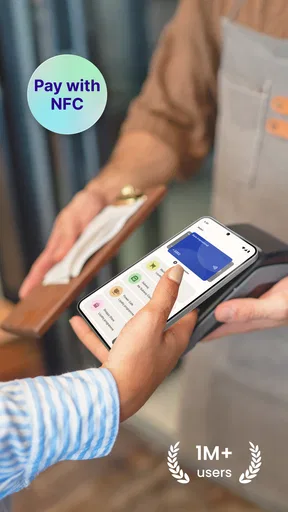
One of the app’s standout features is its NFC payment capability. For those unfamiliar, NFC stands for Near Field Communication, and it allows your phone to function much like a contactless card. I tested this feature at a few local stores, and it worked seamlessly. Just unlock your phone, tap it to the payment terminal, and voila! You're done. No PIN, no fuss.
This feature is a game-changer, especially for those days when you’re in a rush or if you prefer not to handle your physical cards. Plus, the app keeps a record of all your transactions, which is perfect for tracking expenses and sticking to a budget.
Stay on Top of Your Finances
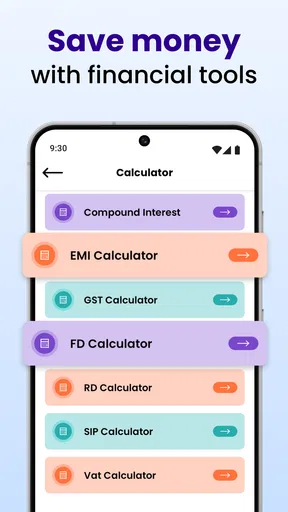
Beyond just managing payments, Credit Card: Wallet & NFC offers a suite of tools to help you stay financially savvy. You can set spending limits, track your monthly expenses, and even receive notifications about upcoming payment due dates. I found the expense tracking particularly useful for keeping tabs on where my money goes each month. It’s like having a personal finance advisor right in your pocket.
The app also sends alerts for unusual activity, which is a great security feature for those worried about fraudulent charges. It’s reassuring to know that the app has your back, keeping your financial data secure.
What Could Be Better?
While I was impressed with most of the app’s functionalities, there are a few areas that could use improvement. The app occasionally lags, especially when loading transaction histories. It’s not a deal-breaker, but a bit of optimization could make the experience even smoother.
Additionally, while the app supports a vast array of cards, a few niche issuers are still missing. If you hold cards from less common banks, double-check their compatibility before fully committing to the app.
Final Thoughts
All in all, Credit Card: Wallet & NFC is a robust app that can significantly streamline how you manage your credit cards. Its combination of NFC technology, expense tracking, and user-friendly interface makes it a must-have for anyone looking to simplify their financial life. While there are minor hiccups, the benefits far outweigh them.
If you’re tired of lugging around a bulging wallet and want to embrace the convenience of digital payments, give this app a shot. It’s time to upgrade your wallet for the digital age!
My inclusive verdict
I see the strongest case for this app in focused, low-pressure tasks: checking card-related information, exploring its NFC tools, or keeping cards organized when that workflow is comfortable for you. Its broad audience rating is Everyone, and it has a 4.7 average, but neither tells me whether its controls work well with an individual’s access needs. The useful question is personal: can you read the labels, reach the controls, and understand the result without strain?
For someone who likes to investigate card details and is willing to test the app before relying on it, it may be worth trying. For someone who needs predictable accessibility behavior, issuer-level account service, or a payment process they already know works, I’d stick with the established alternative unless this app proves itself on their own device. My recommendation is to explore it cautiously, keep a backup payment method, and use the tool only for tasks it clearly handles. That makes its convenience more realistic—and its limits easier to manage.
Pros
- Easy-to-use interface for quick navigation.
- Secure NFC payments with encryption.
- Real-time transaction alerts.
- Supports multiple cards for convenience.
- Customizable spending limits.
Cons
- Requires internet for most features.
- Limited support for non-major banks.
- Occasional ads can be distracting.
- No offline transaction history access.
- Initial setup can be time-consuming.
FAQs for Credit Card : Wallet & NFC
How secure is the Credit Card: Wallet & NFC app for storing my financial information?
The Credit Card: Wallet & NFC app uses advanced encryption methods to protect your financial data. It complies with industry standards for data protection, ensuring that your information is safe from unauthorized access. Additionally, the app offers biometric authentication options like fingerprint or facial recognition for added security.
Can I use the Credit Card: Wallet & NFC app without an internet connection?
While the app requires an internet connection for initial setup and syncing your data, some features, such as viewing stored card information and using NFC for payments, are available offline. However, for updates and real-time transaction alerts, an internet connection is necessary.
What types of credit cards are compatible with the Credit Card: Wallet & NFC app?
The app supports a wide range of credit cards from major issuers, including Visa, MasterCard, and American Express. It is designed to work seamlessly with most cards that have NFC capabilities, allowing for easy integration and management within the app.
Does the app charge any fees for transactions or services?
The Credit Card: Wallet & NFC app itself is free to download and use. However, it’s important to check with your bank or card issuer for any fees that may apply when using your cards through the app for transactions. The app does not add any additional charges.
How can I add a new credit card to the Credit Card: Wallet & NFC app?
Adding a new credit card is simple. Open the app and navigate to the 'Add Card' section. You can either manually enter the card details or use your device's camera to scan the card. Follow the on-screen instructions to verify and save the card securely in the app.


